DHRUVESH

UI/UX Design - DocScanX

Figma design for DocScanX — a mobile document scanning application.Optimized for speed, simplicity, and one-handed mobile usage.Clean, minimal interface with focus on core scanning functionality.Designed accessible UI with clear visual feedback and intuitive controls.
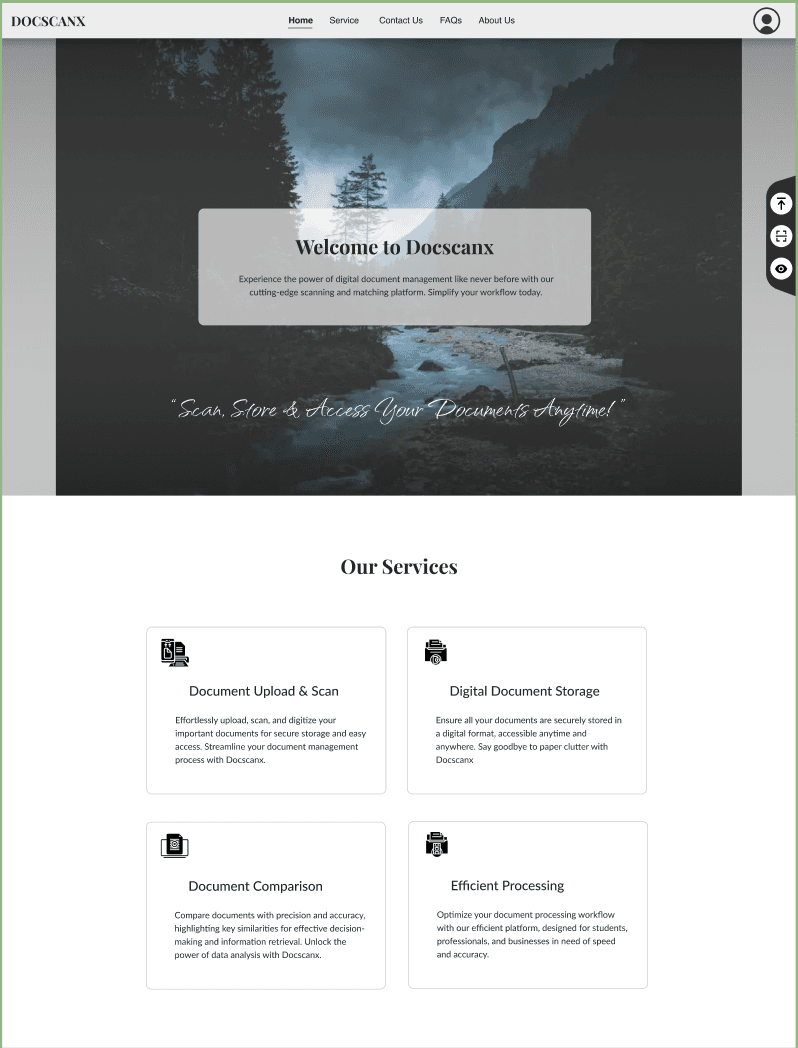
UI/UX Design - DocScanX

Project Overview

DocScanX is a UI/UX design project for a mobile document scanning application. The design philosophy centered on 'scan in 3 taps' — reducing friction between opening the app and capturing a document. The interface uses a minimal color palette with high-contrast elements for readability, large touch targets for one-handed use, and clear visual feedback during scanning (progress indicators, edge detection overlays). The design also includes screens for document management, PDF export, and sharing — all following a consistent, accessible design language.

🎯 Project Purpose

Designed a mobile-first document scanning app interface that prioritizes speed, simplicity, and ease of use. The goal was to minimize taps between opening the app and scanning a document, while keeping the UI clean and accessible.

🛍️ Project Checkouts (Key Highlights)

  • 📷

    Quick Scan Flow

    Designed a '3-tap scan' experience — open, capture, save — with minimal friction and maximum speed.

  • 👆

    One-Handed Mobile Design

    Large touch targets, bottom navigation, and thumb-zone-friendly layouts for comfortable single-hand use.

  • 🔲

    Edge Detection UI

    Visual overlay showing document edges during scanning, with auto-crop and manual adjustment controls.

  • 📄

    Document Management

    Clean file browser for organizing scanned documents, with PDF export and sharing capabilities.

⭐ Why This Project Stands Out

  • ✔️Mobile-First UX: Every design decision optimized for speed and ease on small screens.
  • ✔️Accessibility: High-contrast colors, large touch targets, and clear visual feedback throughout.
  • ✔️Real-World Problem Solving: Designed to solve an everyday utility need with minimal complexity.
  • ✔️Prototyped Interactions: Figma prototype with realistic scanning flow and page transitions.